Introducing the All-New Chords and Intervals Tool: Faster, Smarter, More Powerful
Big news for Guitar Tab Creator users! We've completely reimagined our chord creation tool to make building and inserting chords easier, faster, and more intuitive than ever before.
What's New?
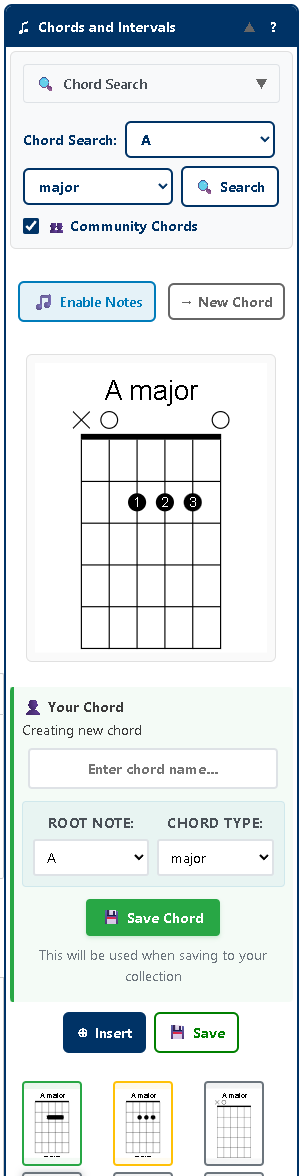
The modernized Chords and Intervals tool replaces the old "Vertically Stack Notes" feature with a streamlined, visual interface that puts thousands of chord voicings at your fingertips. Whether you're a beginner learning basic open chords or an advanced player crafting complex jazz voicings, this tool adapts to your needs.
🎨 Visual Gallery View
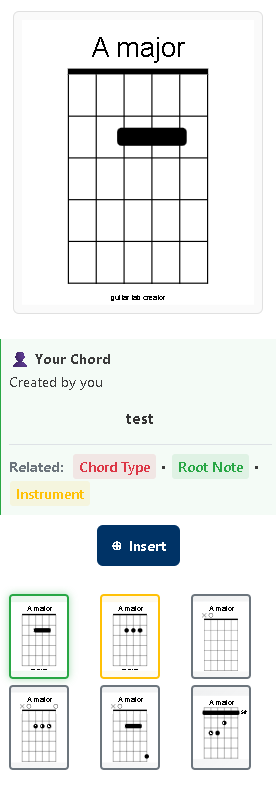
Say goodbye to scrolling through endless lists! Our new gallery view displays chord search results as visual thumbnails, making it incredibly easy to browse different voicings and find exactly what you're looking for. Each thumbnail shows the actual chord diagram, so you can see the shape and position at a glance.
🔍 Smart Chord Search
Finding the perfect chord has never been easier. Simply select your desired root note and chord type, click search, and watch as the gallery populates with relevant options. Want to explore what other musicians are playing? Check the "Community Chords" box to include user-created voicings alongside our built-in library.
🎸 Real-Time Chord Builder
Creating custom chords is now a breeze. Click "Enable Chords", tap notes on the interactive fretboard, and watch as your chord diagram updates in real-time. The visual feedback helps you perfect your voicing before adding it to your tablature.
💾 Save Your Creations
Logged-in users can now save their custom chord voicings to a personal library for instant access later. Found a great community chord? Save it to your collection with a single click!
Three Types of Chords, One Powerful Library
The new tool gives you access to three distinct chord sources, each color-coded for easy identification:
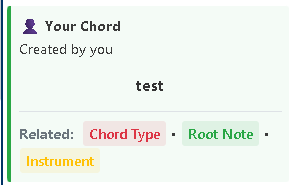
✅ Your Chords (Green)
Your personal collection of custom-created and saved chords. Private to your account and always available when you need them.
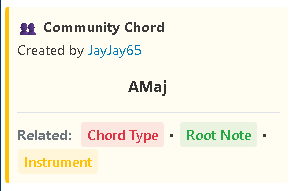
👥 Community Chords (Yellow)
Chords shared by fellow musicians. Discover creative voicings and unique approaches you might not have thought of.
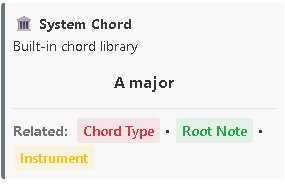
🏛️ System Chords (Grey)
Our comprehensive built-in library of professionally vetted chord voicings covering all the essentials.
Designed for Your Workflow
We've designed every aspect of the new Chords and Intervals tool to save you time and enhance your creativity:
- One-Click Insertion - Found the perfect chord? Click "Insert" and it's instantly added to your tablature at the cursor position.
- Detailed Information - View author credits, chord titles, and browse related chords via integrated taxonomy links.
- Collapsible Interface - Click the header to expand or collapse the tool, keeping your workspace clean and organized.
- Minimum Hassle - The tool validates your chords automatically, ensuring you have at least 2 notes before saving.
- Smart Defaults - Root note and chord type selections help auto-suggest chord names when saving.
Perfect for All Skill Levels
Beginners
Use the search feature to discover proper fingerings for common chords. Browse system chords to learn standard voicings and build your chord vocabulary.
Intermediate Players
Explore community chords to see how other musicians voice their chords. Save your favorite voicings for quick access during songwriting sessions.
Advanced Musicians
Build custom voicings for jazz, extended, and altered chords. Share your unique chord creations with the community and contribute to our growing library.
Get Started Today
The new Chords and Intervals tool is available now in the Guitar Tab Creator editor. Whether you're transcribing a song, composing original music, or just exploring new chord voicings, this tool makes the process faster and more enjoyable.
📚 Need Help Getting Started?
Check out our comprehensive Chords and Intervals Tool Guide for detailed instructions, tips, and workflow examples.
We Want to Hear From You
This redesign is the result of listening to user feedback and understanding how you work with chords in your tablature. We're committed to continuously improving Guitar Tab Creator based on your needs.
Have suggestions for future enhancements? Found a workflow improvement we should know about? Get in touch - we'd love to hear from you!
Ready to Create?
Open the editor and try the new Chords and Intervals tool today!
Happy chord building!